INFRA INTELLIGENCE Contact

MICHIKARTE

Road damage on your daily route,sent to the people who fix it

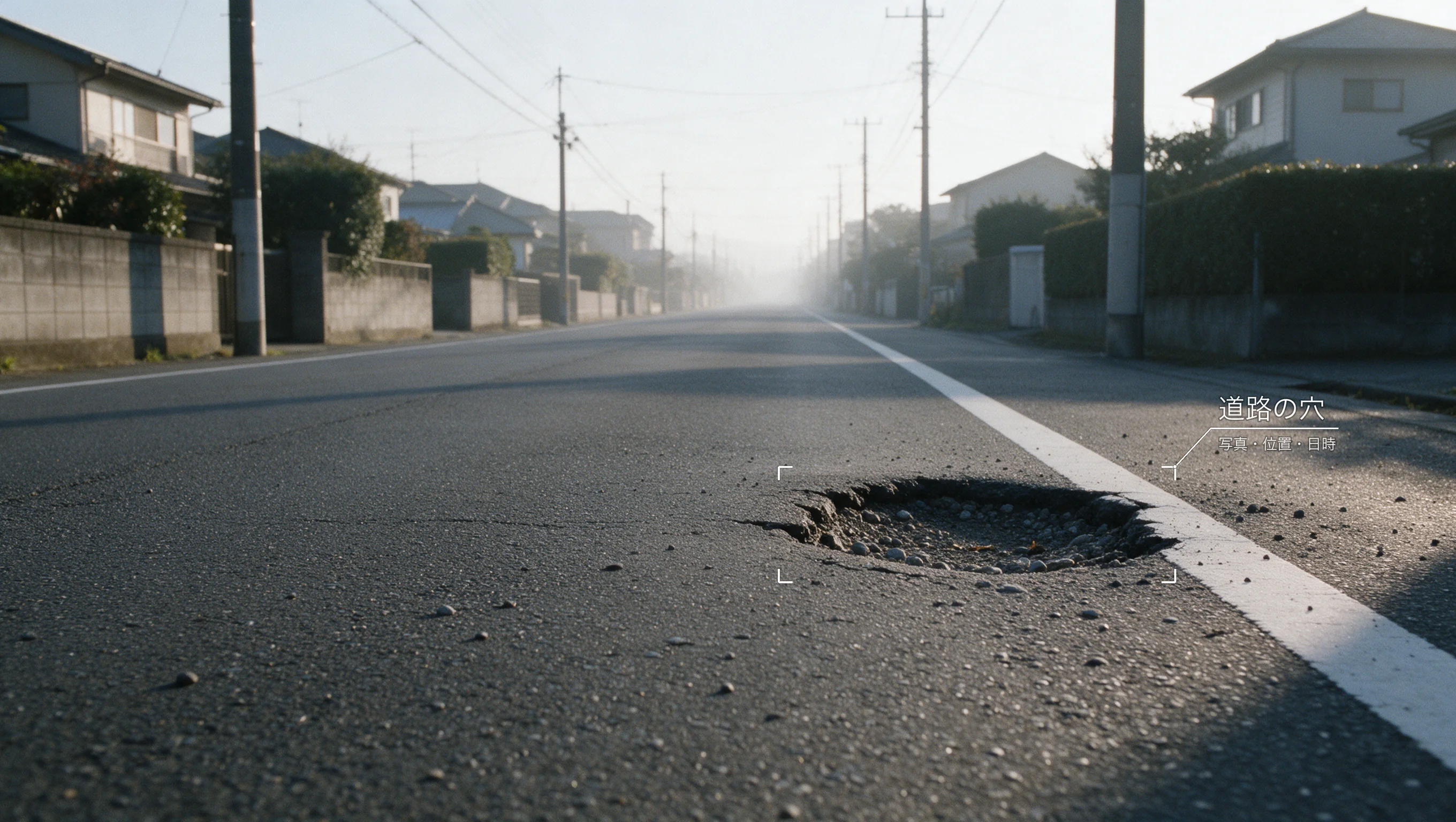
Record road damage you find on everyday roads and send it to the local government or whoever manages the road. Snap it on the spot, or mount your phone in the car and record potholes as you drive.

MICHIKARTE for work, MICHIPATO for fun

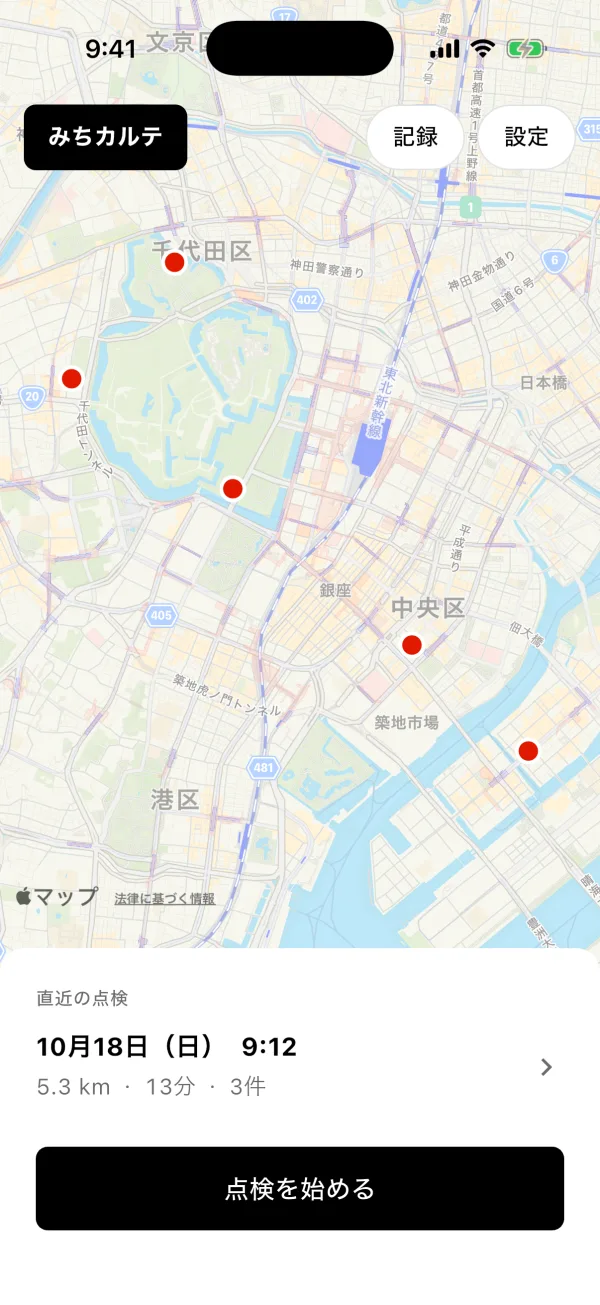
Start an inspection from the map

Mount the phone in the car and tap Start inspection on the map screen.

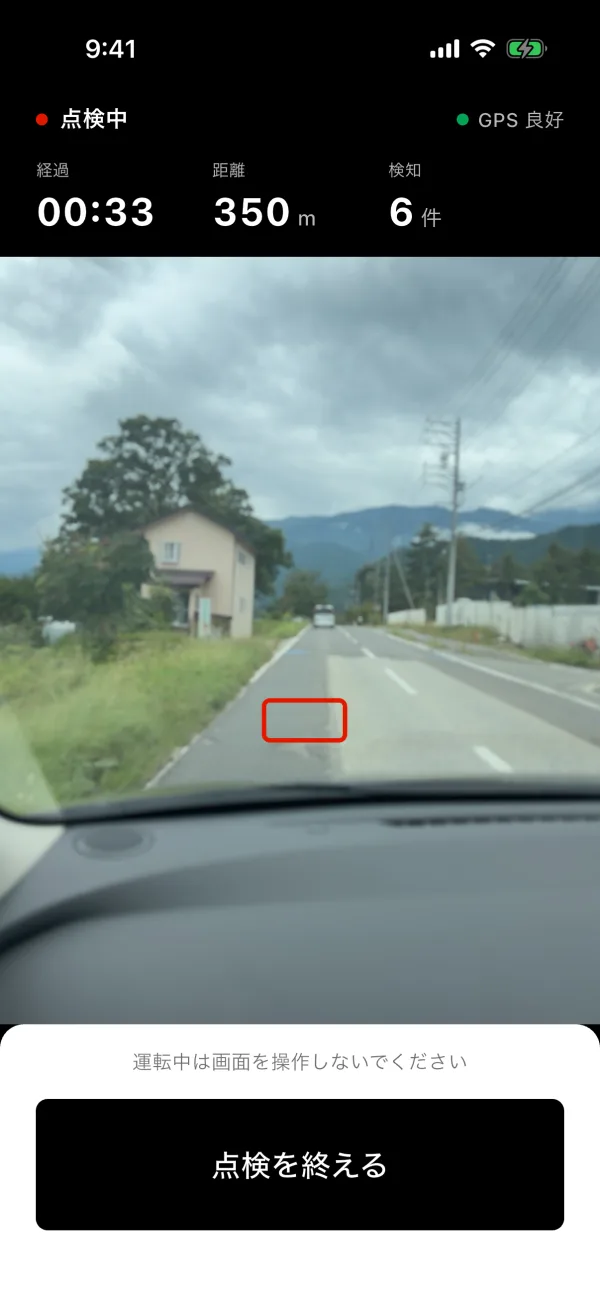
Drive, and potholes are recorded

During an inspection, AI on the phone finds potholes and records the photo, location and time. No need to touch the screen while driving.

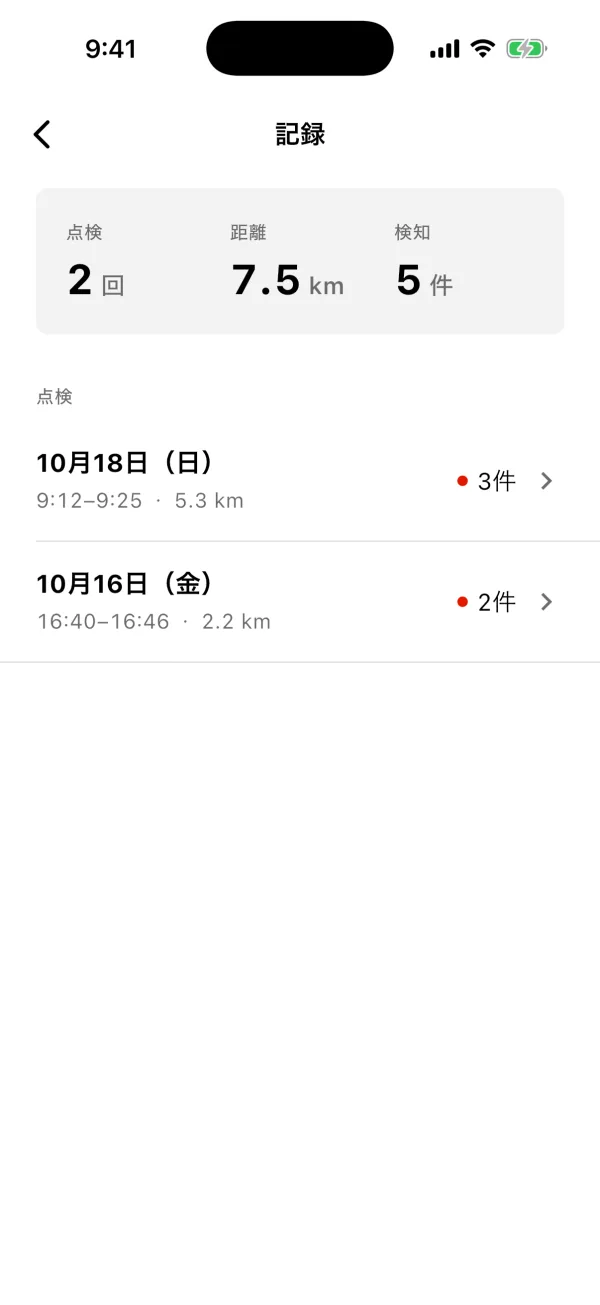
Records by inspection

Past inspections are listed by date, with distance and the number found.

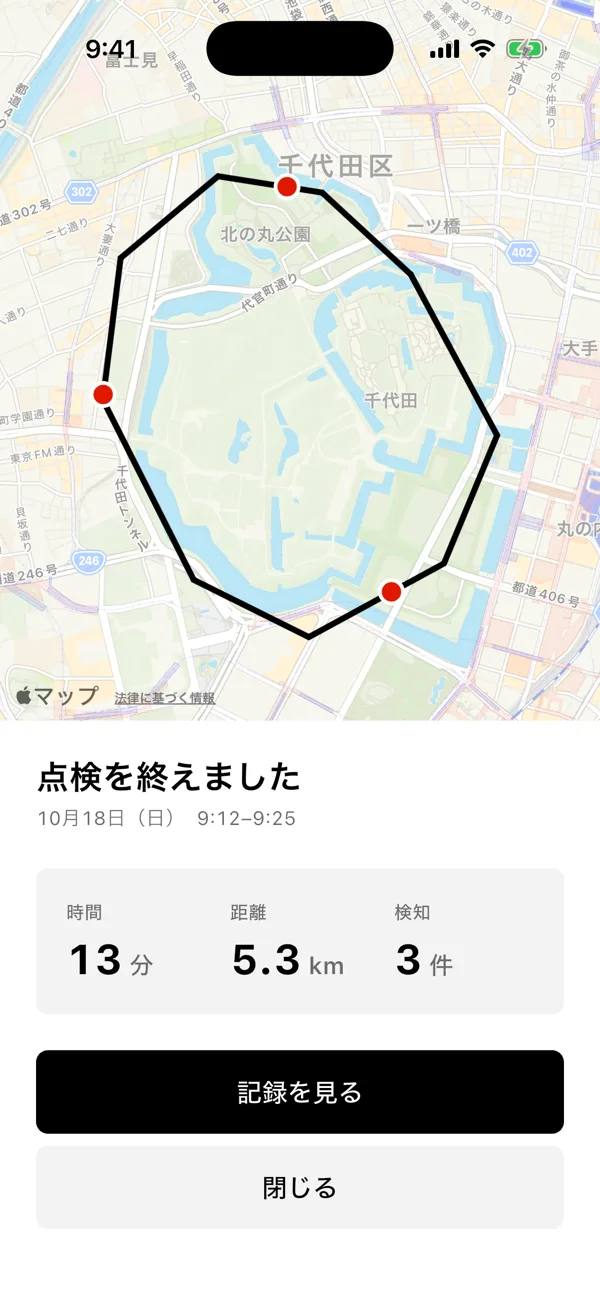
End it, and the inspection is summed up

Tap End inspection to see the route, time, distance and number found.

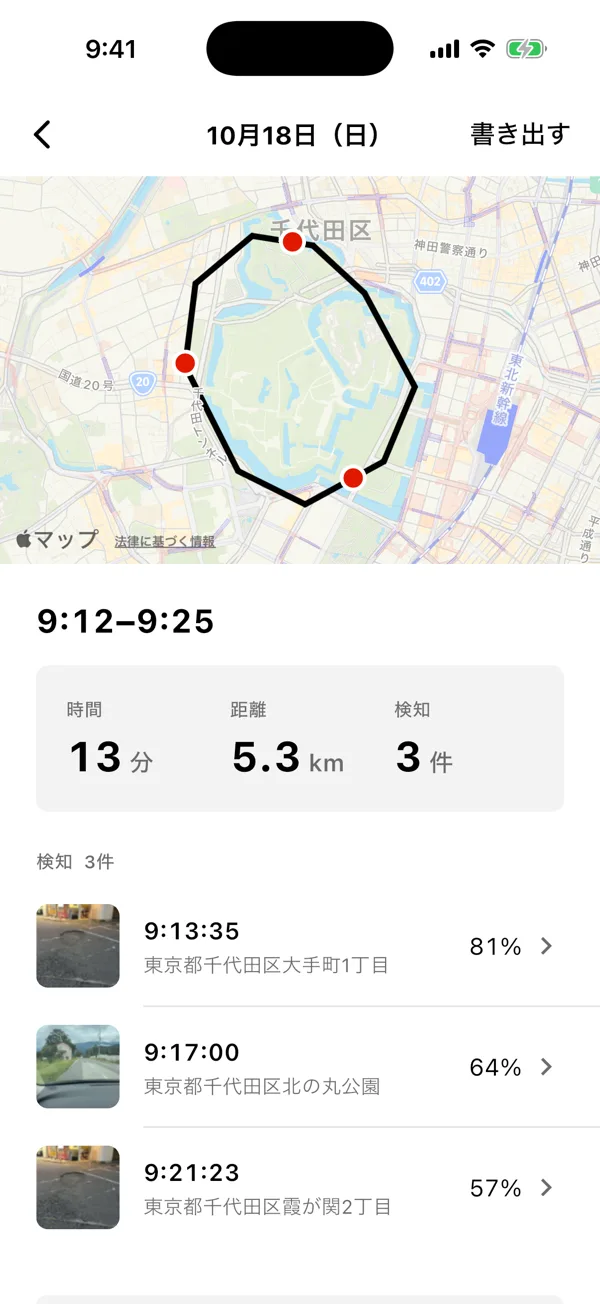
Review the route and photos, then export

Each inspection shows the route and where and when each pothole was found. Export to Excel and more for your paperwork.

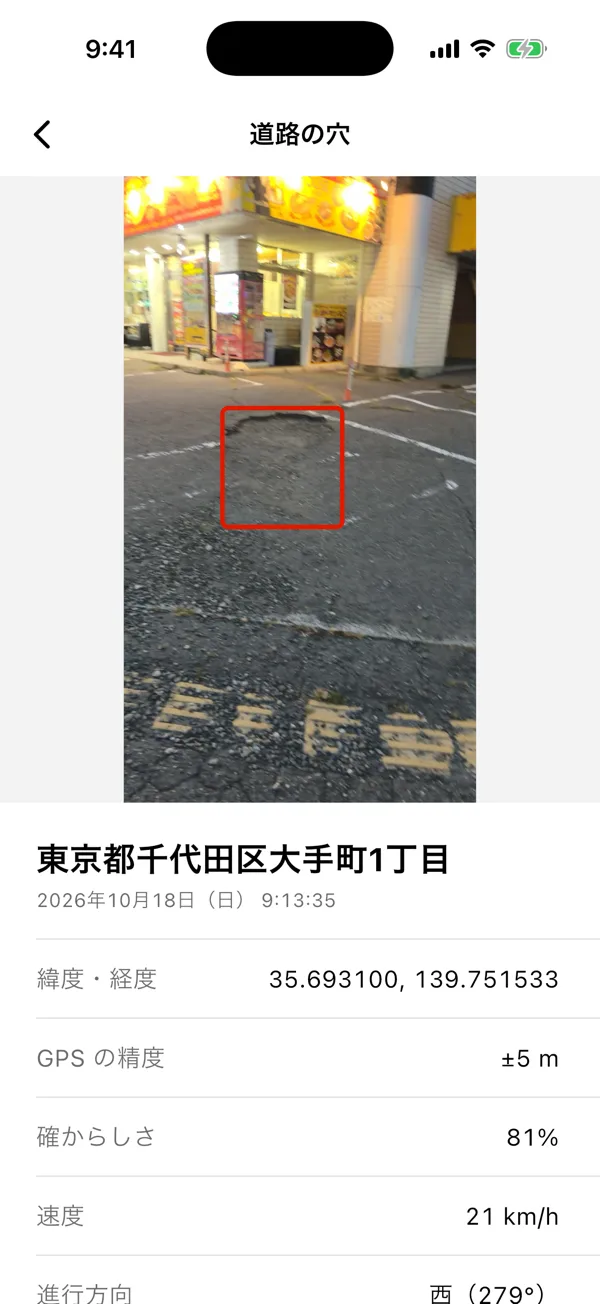
Check each one by photo and location

Each pothole is boxed in its photo and saved with address, time, location, speed and heading.

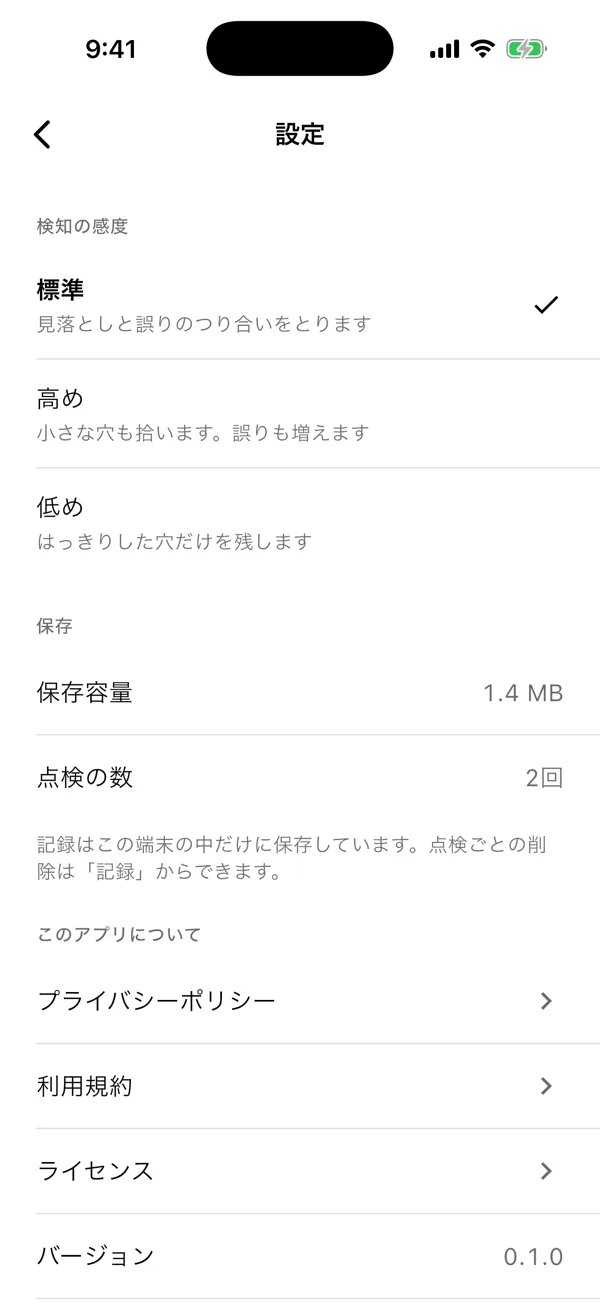
Choose the sensitivity

Pick one of three levels, from catching small potholes to keeping only clear ones.

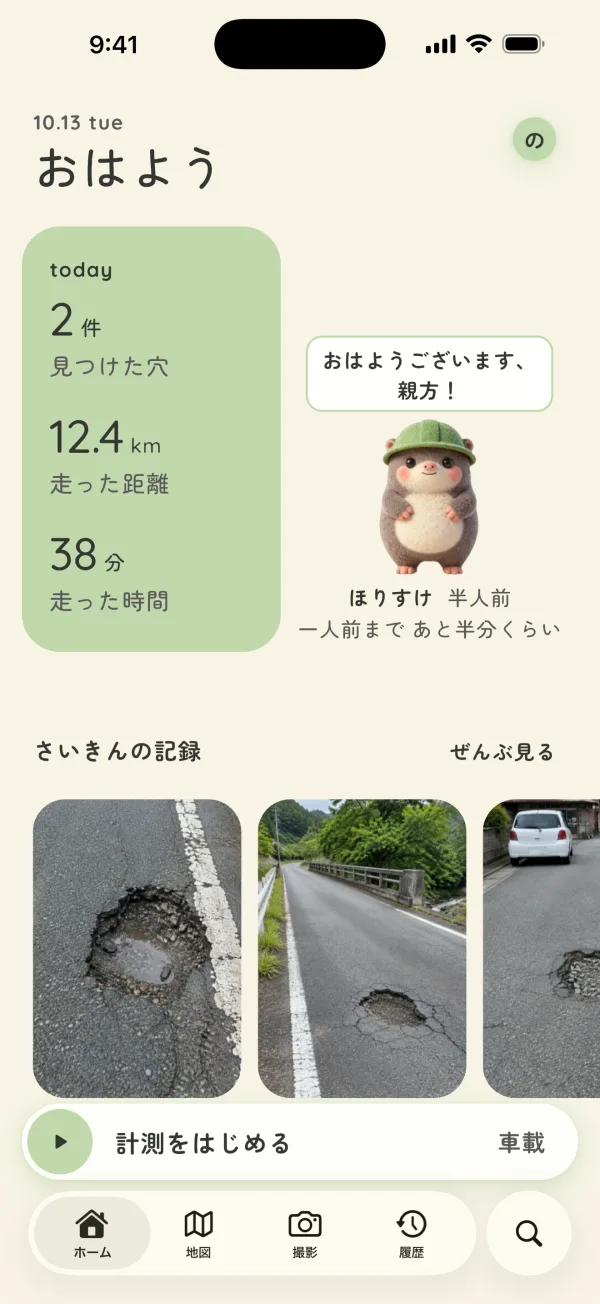
Start measuring

Mount the phone in the car and tap Start measuring on the home screen.

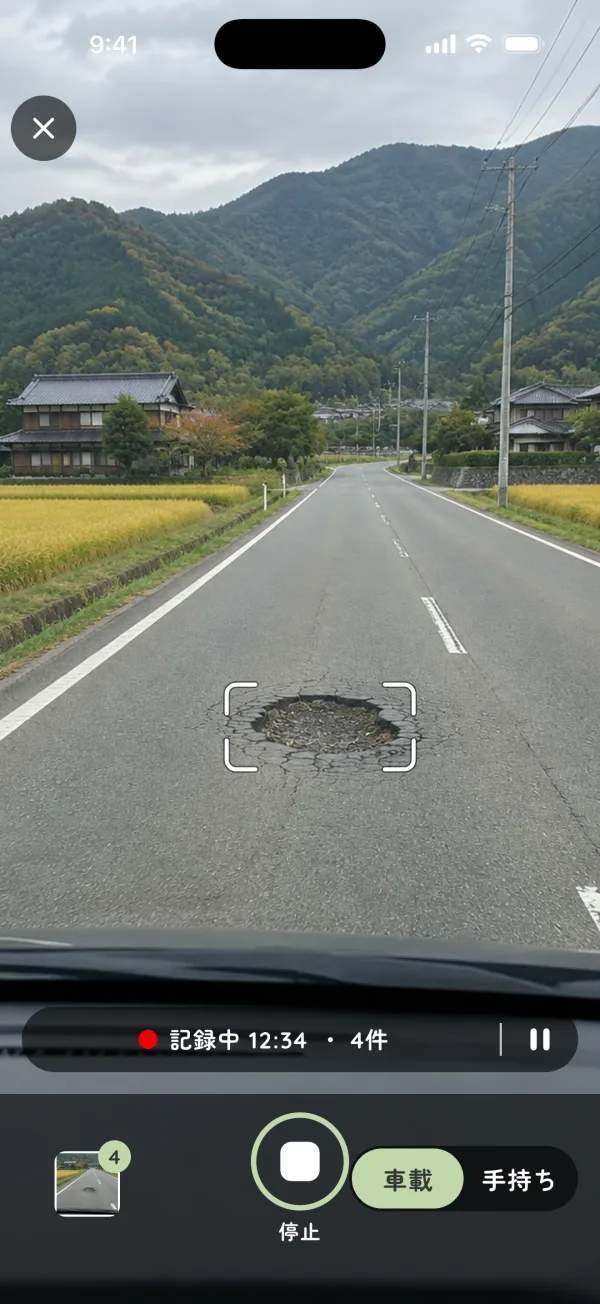
Drive, and potholes get boxed and recorded

Then just drive. When AI on the phone finds a pothole, a box appears and the place and photo are saved. Faces and text such as license plates are blurred before sending.

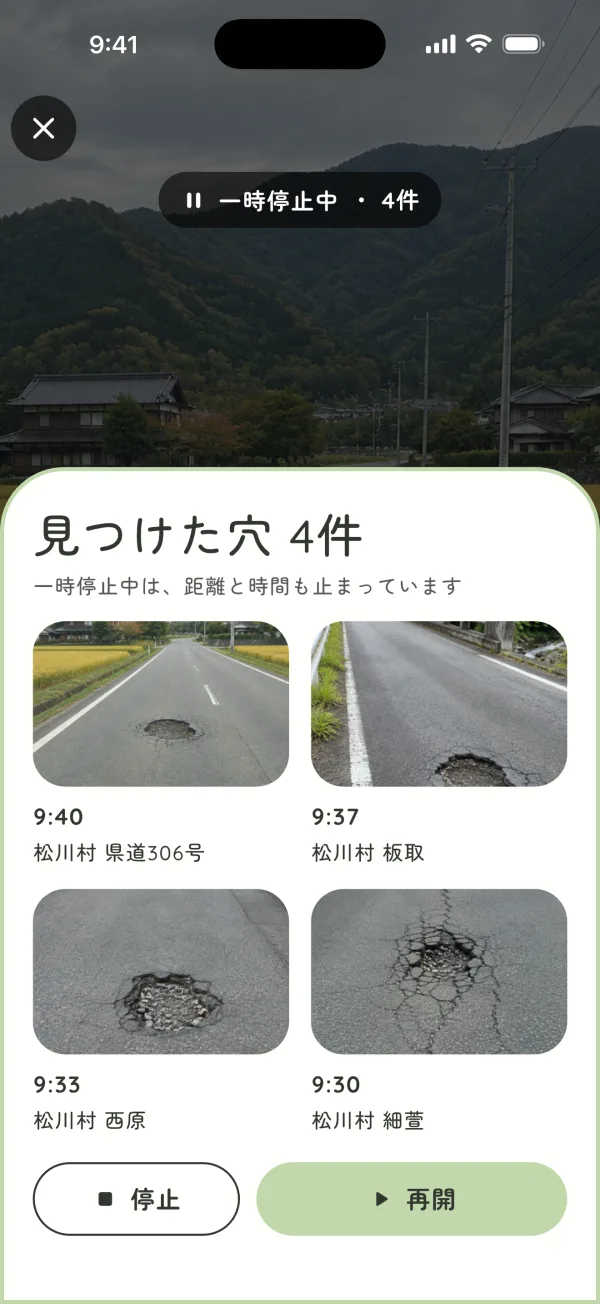
Pause to check what you found

Pause to see the potholes found on this run. Resume to keep measuring, or Stop to finish.

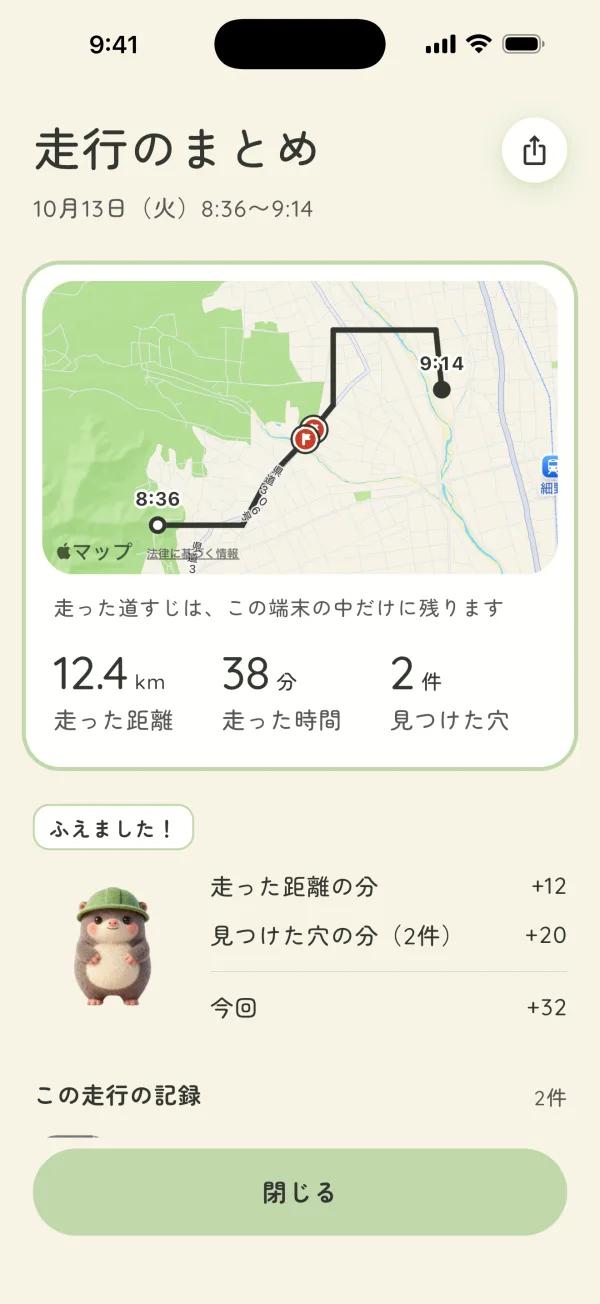
Drive summary

When you finish, you see the route, distance, time and potholes found, plus how much Horisuke has grown.

Check the shared map

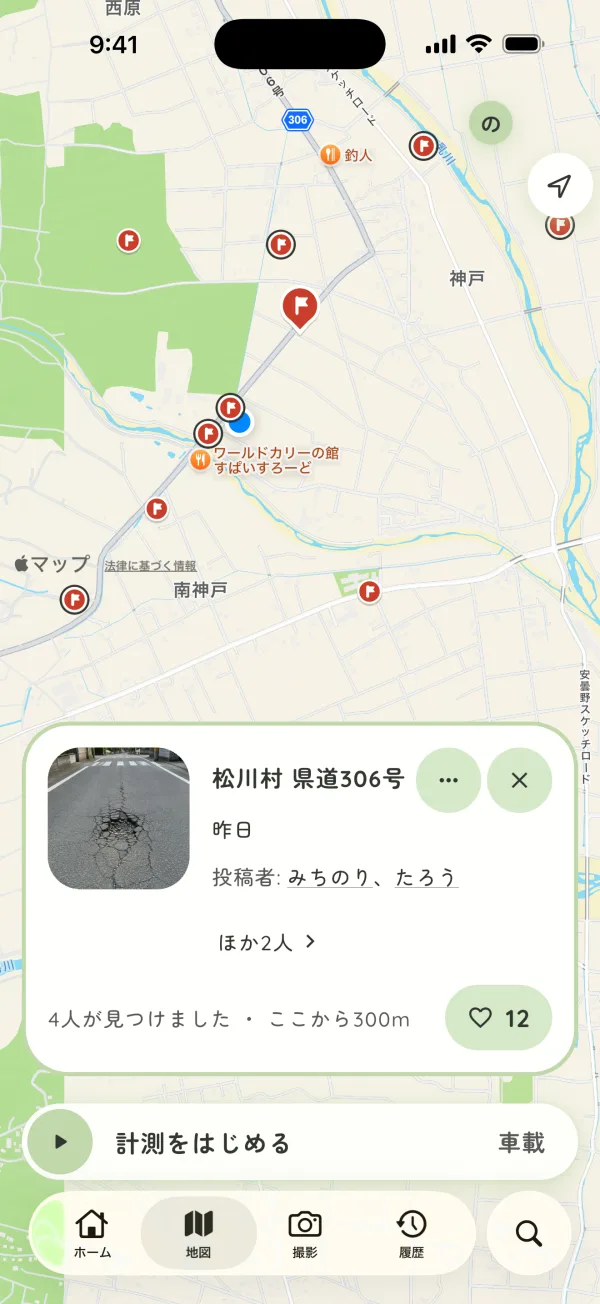
Shared potholes appear as flags on the map. Tap a flag to see the photo and how many people found it.

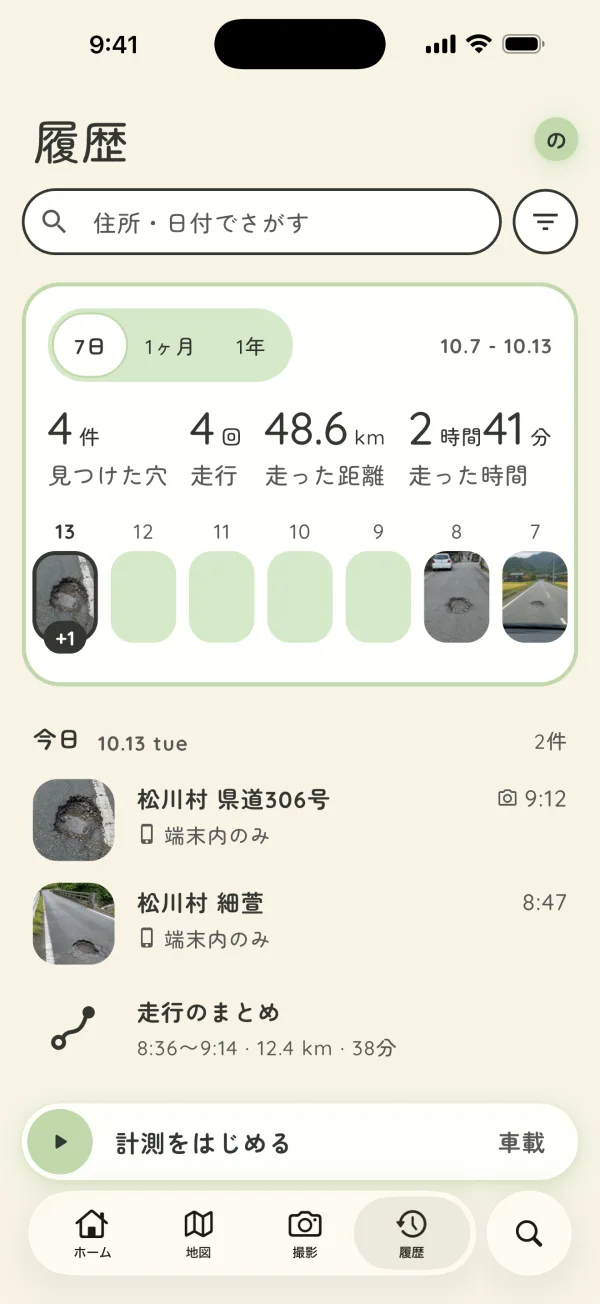
Look back in History

Potholes found and drive summaries, listed by day.

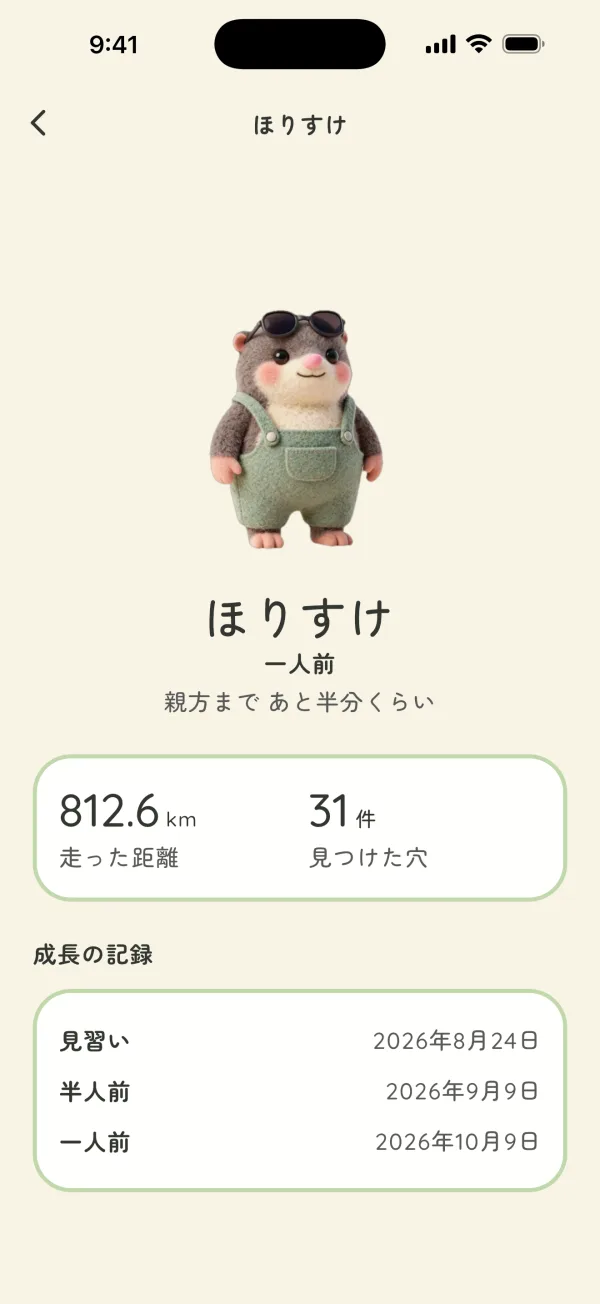
Raise Horisuke

With distance driven and potholes found, Horisuke grows from egg to apprentice, to junior, to full-fledged. No purchases or ads.

MICHIKARTE: Start an inspection from the map
MICHIKARTE: Drive, and potholes are recorded
MICHIKARTE: Records by inspection
MICHIKARTE: End it, and the inspection is summed up
MICHIKARTE: Review the route and photos, then export
MICHIKARTE: Check each one by photo and location
MICHIKARTE: Choose the sensitivity
MICHIPATO: Start measuring
MICHIPATO: Drive, and potholes get boxed and recorded
MICHIPATO: Pause to check what you found
MICHIPATO: Drive summary
MICHIPATO: Check the shared map
MICHIPATO: Look back in History
MICHIPATO: Raise Horisuke

Snap it on foot. Collect it on the road.

In-car recording already works in the prototype app; photo reporting is being added to the app.

01By hand

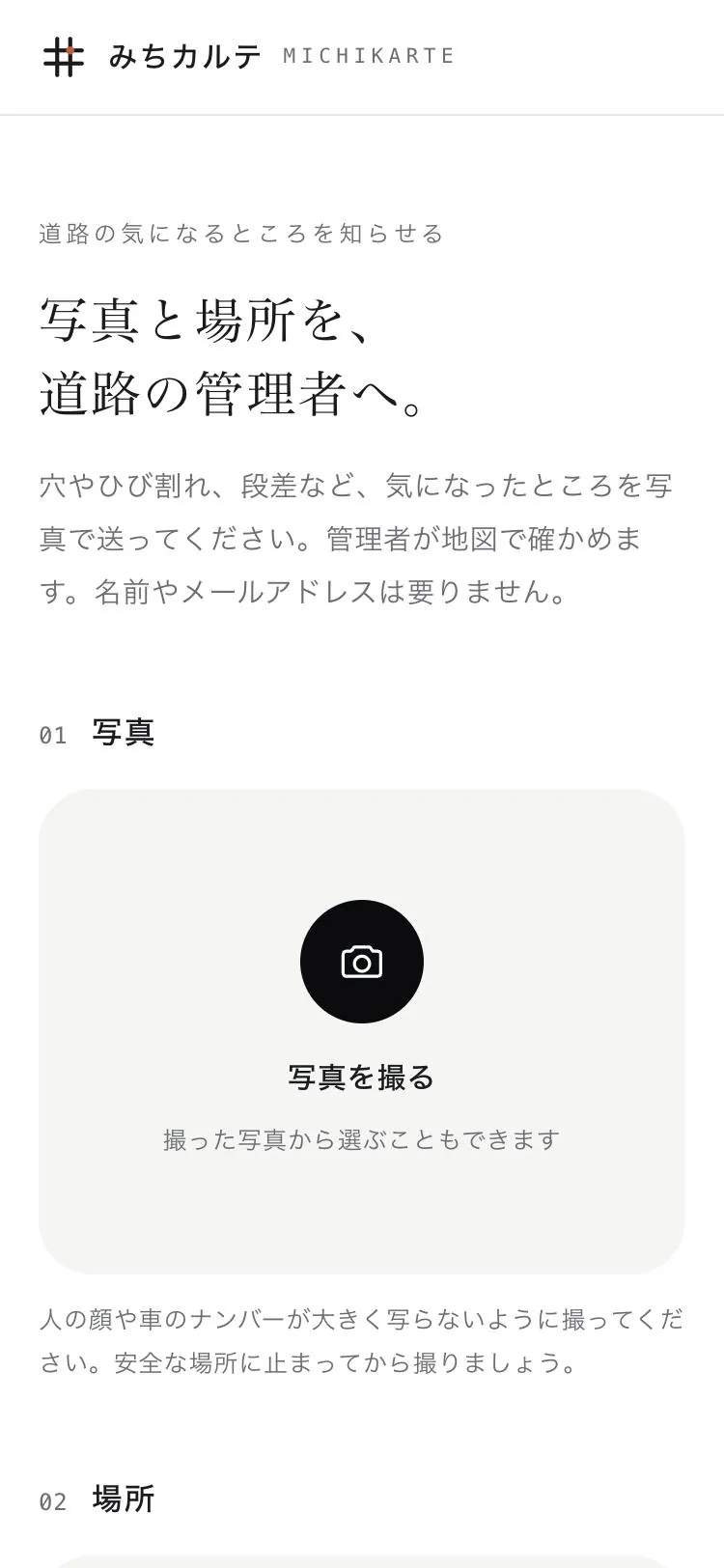
Report it the moment you notice

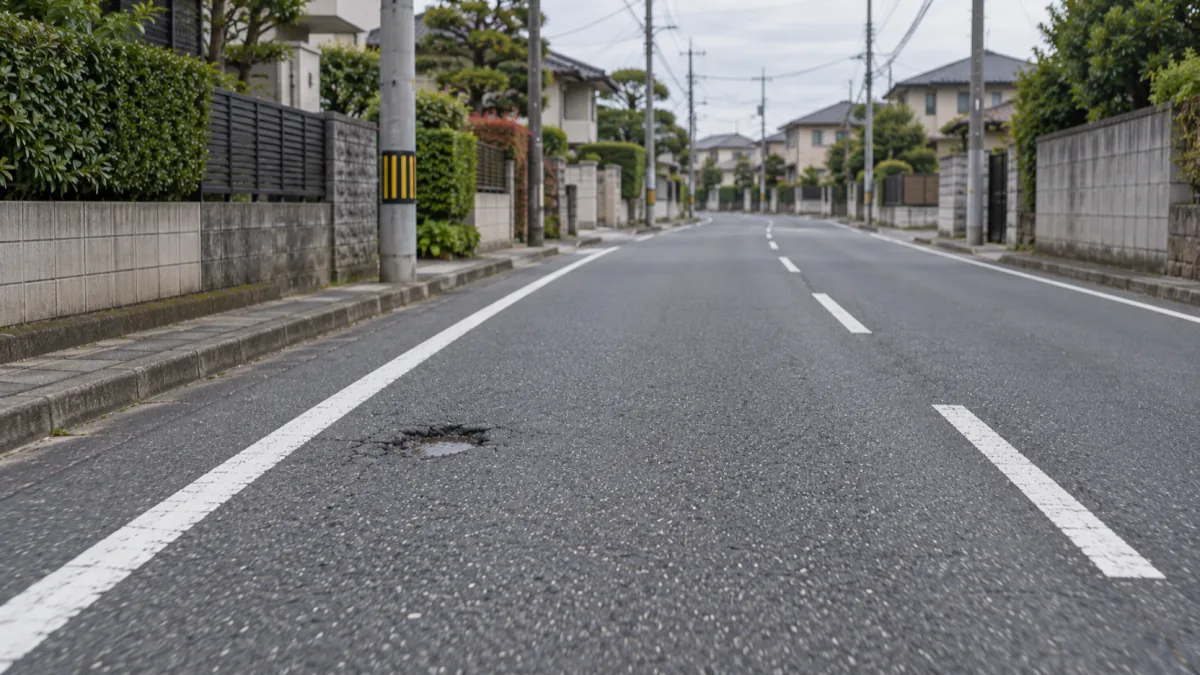
Spot road damage on the way to work or the shops? Take a photo and send it. The location comes from your phone, so there is no address to look up.

Learn more
Now
You can report with a photo at michikarte.com today.
Ways to record
Photograph the damage in the app and send it right away. You will be able to choose the type, such as pothole or crack.
What is recorded
The photo, where it was taken, and when.
After sending
Records come together on the map for the road manager to review.
Best for
People who walk or cycle the same roads every day
02In the car

Just drive, and pothole records add up

Mount your phone so it sees the road ahead, start recording, then drive. While you drive, AI on the phone spots potholes in the video and records the photo, location and time automatically.

Learn more
Detects
Potholes. Crack detection is in development.
Before sending
Faces and license plates in photos are blurred on the device.
Best for
People who drive daily for deliveries, sales or school runs, and road patrol staff
Using it in the car, step by step
  1. 01

    Mount and start while parked

    Fix the phone in a car mount where it can see the road ahead, and start recording. Only operate it while stopped, or let a passenger do it.

  2. 02

    Leave it to the app while driving

    AI on the phone looks for potholes, records the photo, location and time when it finds one, and plays a sound. Keep the app open while recording.

  3. 03

    Review and send once stopped

    After the drive, review records on a map and list. If you have agreed to share, they are sent when a connection is available.

Japan's Road Traffic Act prohibits looking at a phone screen while driving. Always stop the car before starting or reviewing a recording. Road Traffic Act, Article 71(v)-5 (e-Gov, in Japanese)

How your report becomes a repair

FIG. 0201 / 04
Plan of the roads around an intersection, showing a pothole record going onto the map, being checked and being repaired City Rd 1-204City Rd 2-018City Rd 3-077 03980401040904150388 No.0412Pothole3 at this spotCheckedRepaired 3 No.0412PotholePhoto1 photoLocationAuto-recordedTime10/13 08:42 CheckRoad managerReview photo and spotCheck on siteDecide on repair Repaired N 02550 m FIG. 02 RECORDED SPOTNames and numbers are placeholders

Maybe it isn't fixed because no one has found it yet

A pothole or crack appears on a road you take every day. You notice it, but assume someone has already reported it and drive on. Often, that damage has not yet reached the people who manage the road.

Local governments look for damage on patrols, but they manage long networks of road and cannot check every stretch every day. National pavement inspection guidelines say sudden damage such as potholes should be dealt with as soon as it is found. If no one finds it, nothing starts.

The people who use a road every day are the ones who live and work along it. MICHIKARTE turns what they notice into records with a location and photo, and sends them to the manager. More eyes mean damage is known sooner, and repairs can start sooner.

Source: MLIT Road Bureau, Pavement Inspection Guidelines, October 2016 (in Japanese)

For road users

Spotting damage makes your own roads better

Commuting, school runs, shopping, walks. The more often you use a road, the sooner you notice small changes. No special knowledge needed.

How to use it
Record
When driving, just leave your phone mounted and it records potholes.
Location and time
Filled in automatically. No need to write an address or landmark.
After sending
Records reach the road manager's map and inform decisions on checks and repairs.

For road managers

Learn about damage your patrols can't reach, from residents' reports

Reports from residents that used to arrive piecemeal by phone and email come together on one map.

What it can do
On patrol
Drive with a phone mounted in the patrol car to get a list of potholes found along the route, with photo, location and time.
Export
Export the list as an Excel report with photos, or in formats for mapping software.
Residents' reports
Reports from road users will appear on the same map (in development).
Status
Updating each record's status, such as Checked or Repaired, and letting the reporter see it is in development.

Article 42 of Japan's Road Act requires road managers to maintain and repair roads so they are always in good condition. MICHIKARTE is designed as a tool for that daily work: learning about damage early and keeping a record of the response. Road Act (e-Gov, in Japanese)

A MICHIKARTE record does not guarantee a repair. The road manager decides whether and when to act. In an emergency, such as a risk of an accident, call the police (110) or the Road Emergency Dial (#9910, free, 24 hours). Road Emergency Dial (MLIT)

The app and the web, side by side

AppWeb
Used byResidents who use the road daily, people who drive for work, road patrol staffStaff at local governments and other road managers
What it doesRecord potholes while driving, record with a photo (in development), review records on a map and listReview incoming records, update status, export reports (in development)
WhenWhen you notice damage on the way to work or the shops, or drive for work or patrolsWhen reviewing records and arranging site checks or repairs

Try MICHIKARTE

The app is in development. It focuses on three things, start an inspection, drive, and review records, with exports that work for real jobs. Once released, you will be able to download it here.

FAQ

Q.01Who is it for?

Both residents who use the roads and the local governments that manage them. Residents record and send damage; managers receive it and act on it. Adoption goes through the road manager, and trials are run with road managers.

Q.02Can I use MICHIKARTE now?

The shared pothole map and photo reporting page at michikarte.com are open to anyone. The app is being prepared for public release. Local governments and maintenance contractors can also discuss a limited trial.

Q.03Will the damage definitely be repaired?

No. A record tells the road manager where the damage is and what it looks like; it does not guarantee a repair. But the manager knowing about it is the first step. The road manager decides whether and when to act.

Q.04Should I use MICHIKARTE in an emergency?

If there is a risk of an accident or traffic is blocked, call the police (110) or the Road Emergency Dial (#9910). #9910 is free, open 24 hours, and also takes reports via LINE.

Q.05Who can see the records?

The map shows each record's location, time and a rough size of the pothole. Before sending, faces and text such as license plates are blurred on the device.

Q.06How is the location set?

It is taken automatically from the phone's location when you record. No need to type an address.

Q.07Do I need to touch the phone while driving?

No. Once started, the app records on its own. Start and review records only when the car is stopped.

Q.08What do I need to use it in a car?

Just a car mount for your phone.

Q.09Does it work without a signal?

Yes. Records are saved on the device first and, if you have agreed to share, sent when a connection is available.

Q.10Can it run alongside our phone and email reporting?

Yes, it is designed to. There is no need to switch over entirely, and how to handle reports from existing channels can be discussed when planning a trial.

Q.11How much does it cost?

Pricing has not been set yet. It can be discussed individually along with trial terms.

Q.12How is the collected data handled?

Record data is never used for other purposes. Retention and deletion are agreed before a trial starts.

Looking for local governments to try it with

Even part of your road network is fine. It starts with hearing how you currently receive and record reports from residents. Consultation is free.

Contact